
Touchline360 · Match day · Available now

Capture the match at the touchline, even without the cloud.

A local-first live match application with a match console, timeline, momentum, structured observations, report export, and optional computer-vision or voice capture paths.

The workflow problem

Keep the useful context moving.

Match-day observations are easy to lose or reconstruct badly after the final whistle. Kickoff Pulse captures the timeline while the context still exists and can run on the club's own laptop.

Built forCoaches · Analysts
Available nowFocused tool

Kickoff Pulse

A working product is in the current Touchline360 suite. Use the walkthrough to see the current workflow and what access or setup would look like for your club.

Product proof

A real surface from Kickoff Pulse.

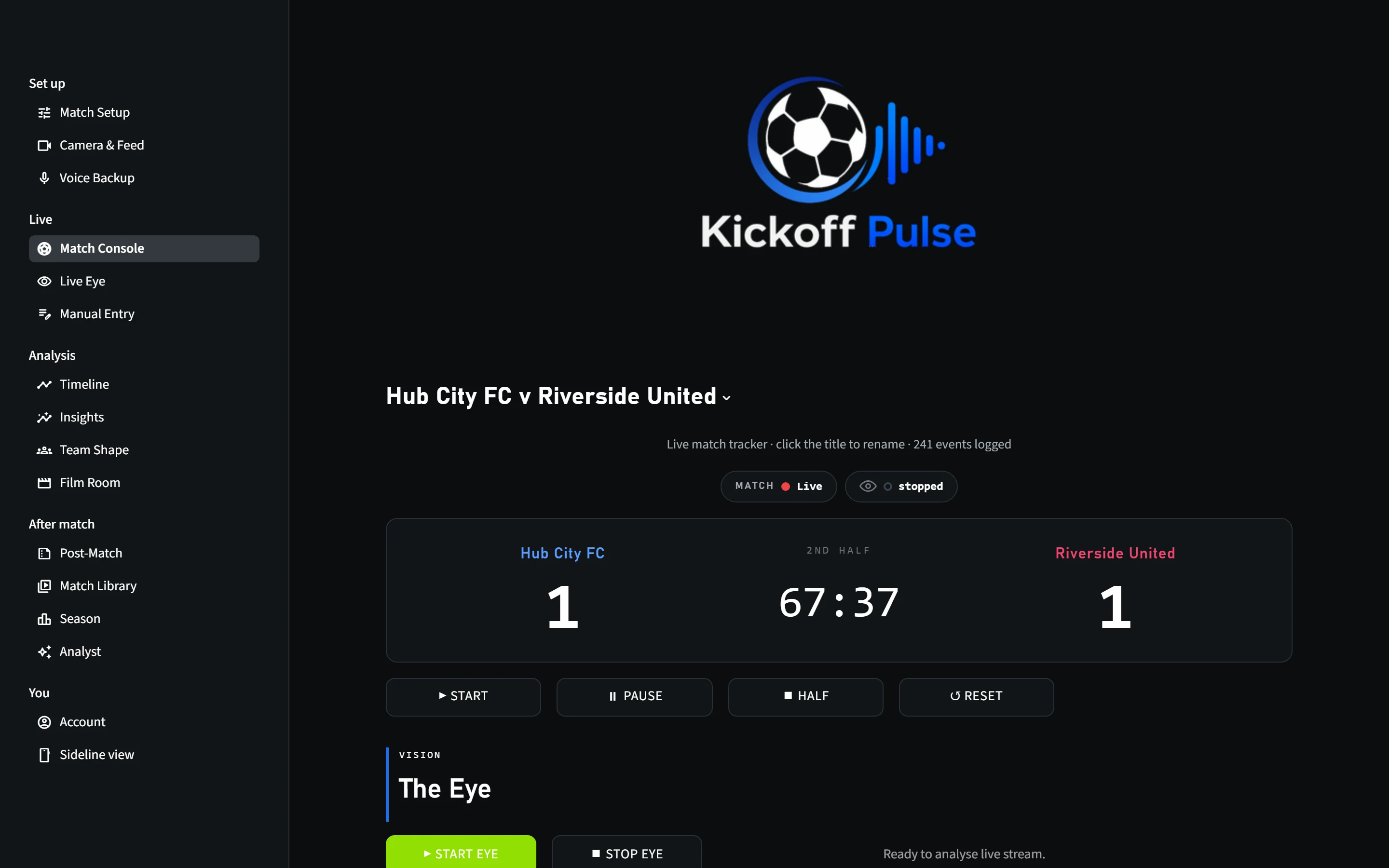
Real Kickoff Pulse console capture. The published asset is generated from a sandboxed event log rather than a marketing mockup.

Kickoff Pulse live match console generated from a sandboxed real event log
Real Kickoff Pulse console capture. The published asset is generated from a sandboxed event log rather than a marketing mockup.

Core capabilities

What this part of the coaching loop needs to do well.

Capability language is grounded in the current Touchline360 product registry and product documentation.

01

Run a 90-minute match console locally with half-time and added-time control

02

Capture live observations and structured events

03

Serve a read-only sideline view to a phone over the local network

04

Export timeline, match-report, momentum, and insight surfaces

Inputs

What comes in.

  • Live observations
  • Match clock
  • Optional Veo HLS/webcam
  • Optional voice play-by-play

Outputs

What the staff gets back.

  • Structured event log
  • Timeline
  • Momentum
  • PNG/PDF reports

Touchline360 connection

Kickoff Pulse → Debrief → coaching action

The suite is designed around one coaching loop: evidence, judgement, action, and the next evaluation.